How to Use Scryfall
Note: This article was translated from Chinese by AI and may contain errors. Read the original Chinese version.
Introduction
Scryfall.com is a well-known Magic: The Gathering card search engine, and its “Advanced Search” feature is the best helper veteran players use to look up cards. But for beginners, the English interface alone is hard enough, and with a long list of fields it’s unclear where to start. It is not impossible to search directly in Chinese, but only for cards that have an official Chinese printing; printings before and after that can only be searched in English. How do you find the card you want? I hope this article can give new players some guidance.
Field Descriptions
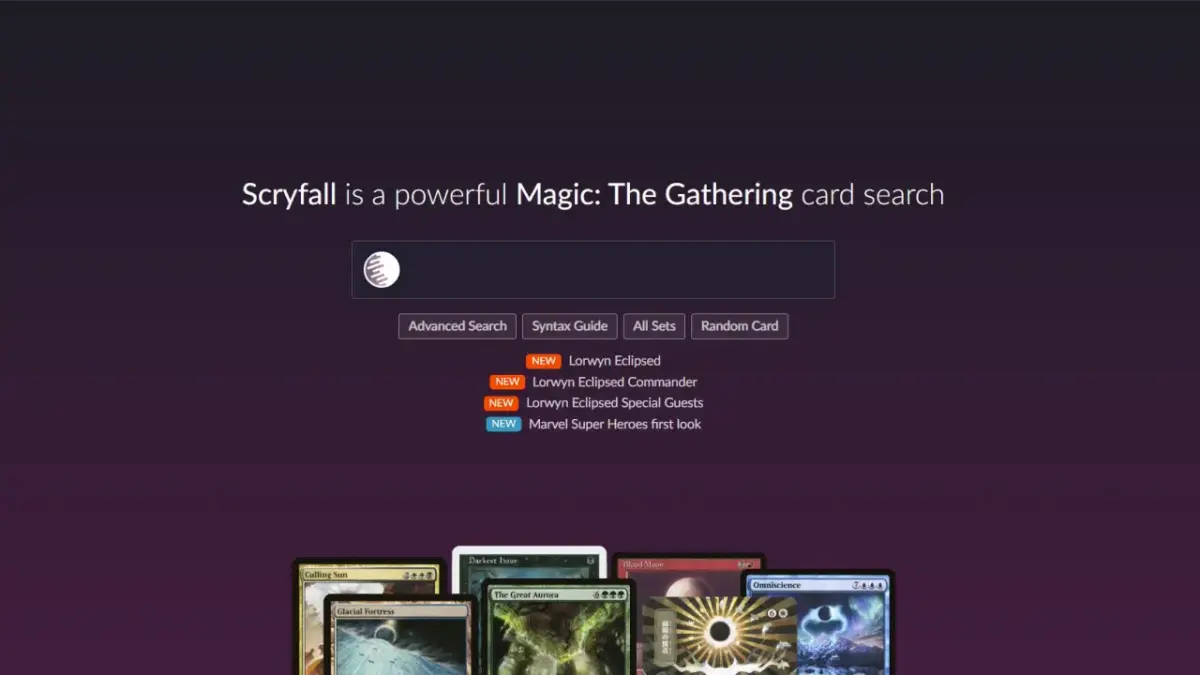
Click into the Scryfall home page, and the first thing you see is a text field for entering a card name, with a few options below it and a row of links to the full card lists of recent sets. We first click “Advanced Search” at the lower left of the text field to enter the advanced search page. Since there are many fields, here is a brief description of each:
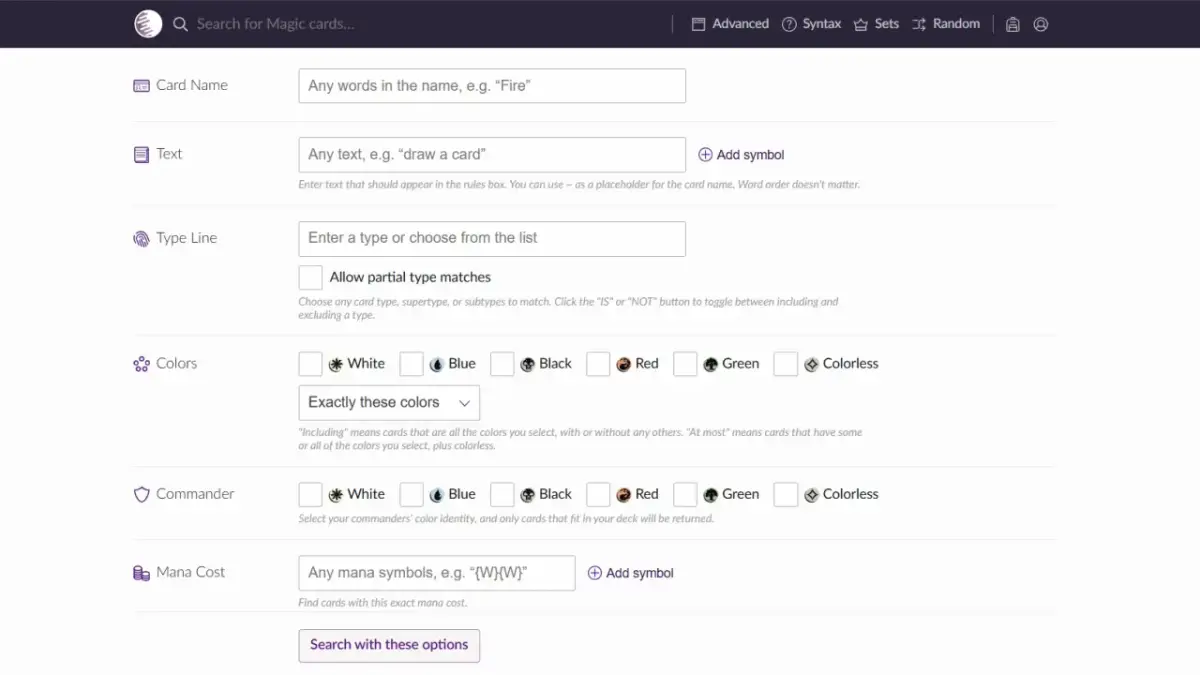
Card Name: The card name, a search on the name at the top left of the card.
Text: Rules text, corresponding to the abilities box in the lower half of the card.
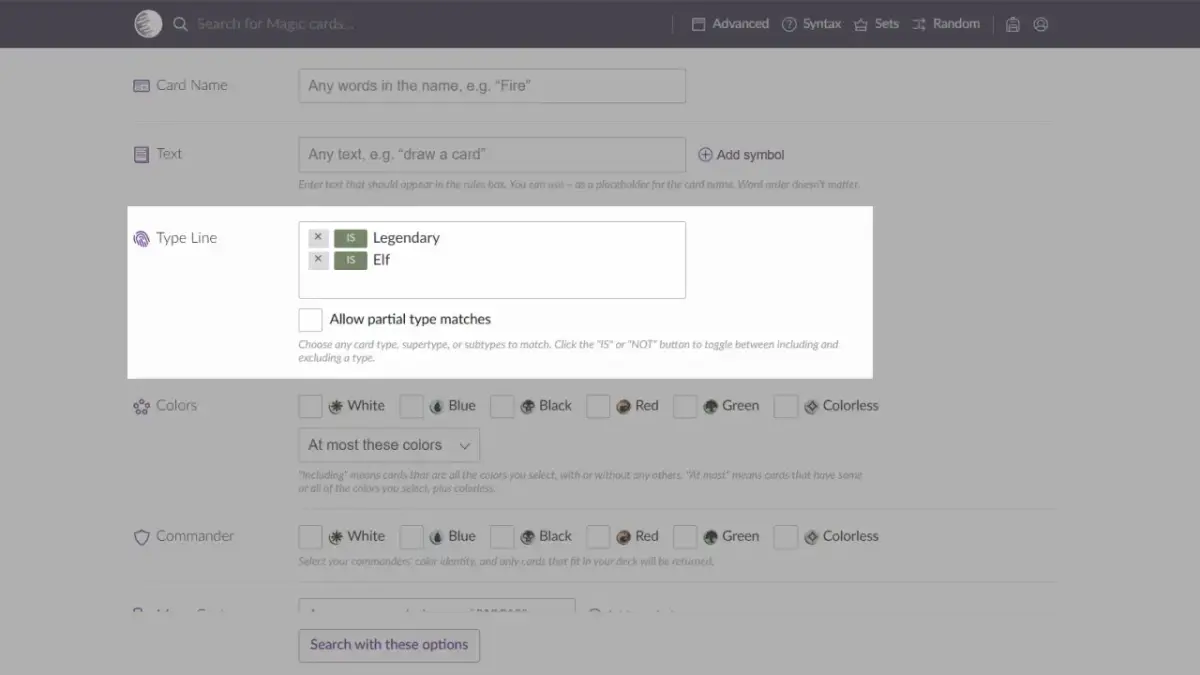
Type Line: The card type field. Card types, supertypes, and subtypes can all be searched (creature, instant, legendary, Elf, etc.).
Color: The card color.
Commander: The card’s commander color identity.
Mana Cost: The mana cost, corresponding to the top right of the card.
State: Numeric stat settings. You can compare mana value / power / toughness / loyalty against specific values (greater than, at least, equal to, at most, less than, or not equal to), and set multiple conditions to find cards matching the numeric criteria.
Games: Settings to search the paper and/or online versions. You can choose paper (Paper) and the two online versions (MTGA, MO).
Formats: The format you want to search, where you can find cards that are legal (Legal), restricted (Restricted), and banned (Banned) in that format.
Sets: The card set.
Raity: The card rarity, namely Common / Uncommon / Rare / Mythic Rare.
Criteria: Other additional search conditions, such as permanent (Permanent), Art Series, enters-the-battlefield ability (ETB), Buy-a-Box, … and so on; there are all sorts of unusual search conditions.
Price: The price of a single card, with a choice of currency among US dollars (USD) / euros (Euros) / MO tickets (MTGO Tickets).
Artist: The illustrator.
Flavor Text: The flavor text, the italic text below the rules text (the card’s background story).
Lore Finder: Keyword search, where you enter words not listed above to search for.
Language: The language, where you search by languages that have been officially printed.
Preferences: Display preferences, where you can set how search results are displayed, such as text only, sorted by price, whether to include tokens, and so on.
There are 16 fields in all that can be set. But don’t panic, class; even veteran players don’t necessarily use all of them, and you only need to be familiar with a few commonly used ones. Where should you start? See the explanation below.
Choose Your Format (Formats)
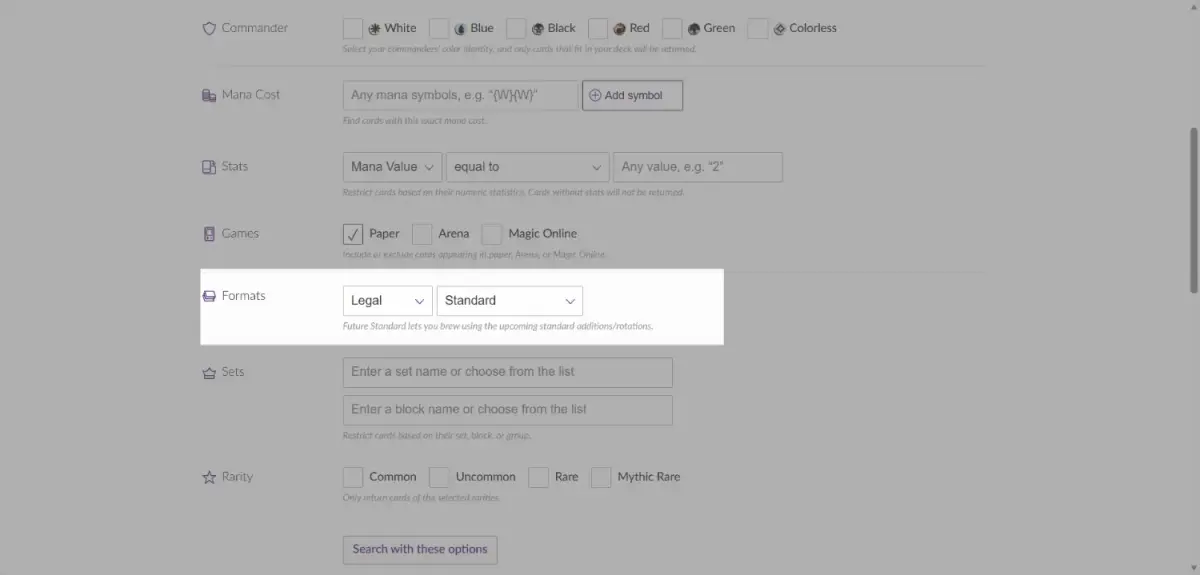
The format is the first step in finding cards. When you build a deck, you can naturally only use cards legal in that format, so we first set the format to establish the search scope, so that we won’t find cards outside the legal card pool. At the time of writing, this field contains 20+1 formats including paper and online formats, and many of them aren’t even known to experienced veterans, let alone new players. Here we only list the better-known paper formats that are easy to access in Taiwan:
Standard:標準
Pioneer:先驅
Modern:近代
Commander:指揮官
Incidentally, Future Standard is not a separate format; it extends the search scope to include Standard set products that have not yet been released.
Basically, the formats a beginner will use are usually Standard and Commander. Standard is the most basic 60-card constructed format, with a legal card pool covering the last three years of Standard sets. It has high print volume, new cards, plenty of paper tournaments, and wide availability: not only can it be played on MTGA, but the paper singles are also relatively easy to find. In recent years quite a few beginners have entered through 100-card multiplayer Commander, so if you are that kind of player, choose Commander as the format to list all the cards available to you.
As for other formats, such as Pioneer, Modern, or the digital-exclusive formats Historic, Timeless, Alchemy, and so on, they are all relatively advanced formats; look into them when you’re familiar with the game and want to move into another format. The example screenshots in the explanations below all default to Standard.
Choose Your Colors (Color) and Commander Colors (Commander)
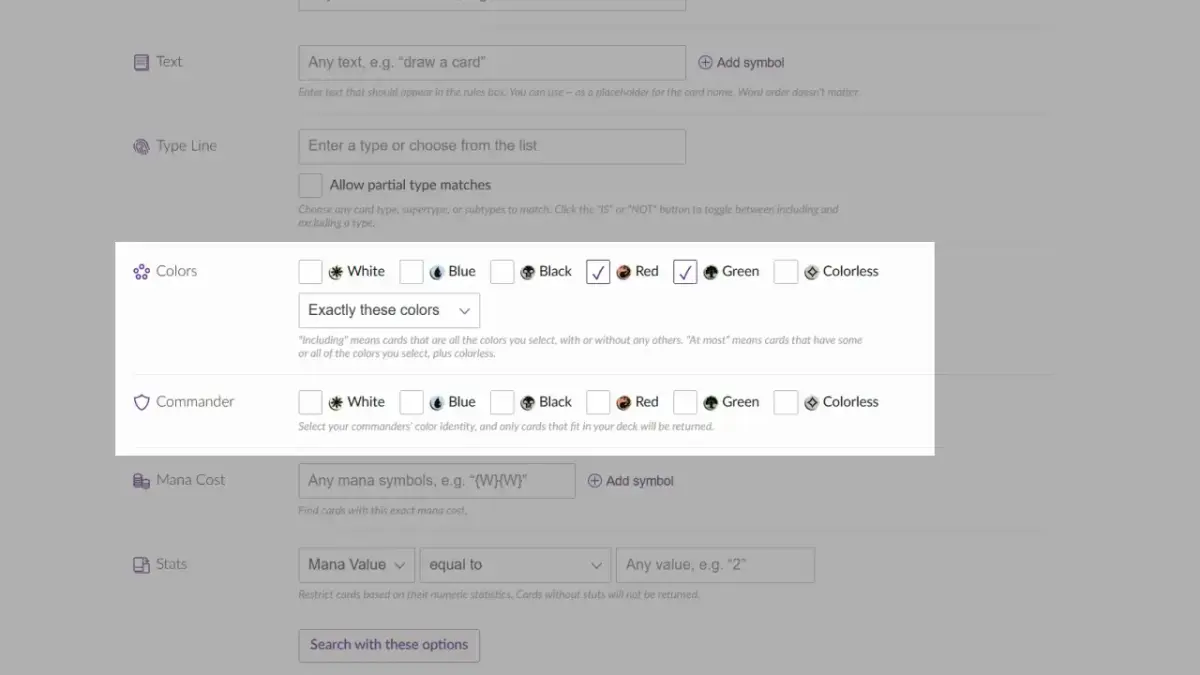
After deciding on the format, the next step is to decide on your colors. Usually, before opening Scryfall you already have cards in mind for building, so you only need to choose colors according to that card. However, the options here are actually not as simple as they look, and if you don’t set them properly, you may not find what you want, or may even find nothing at all.
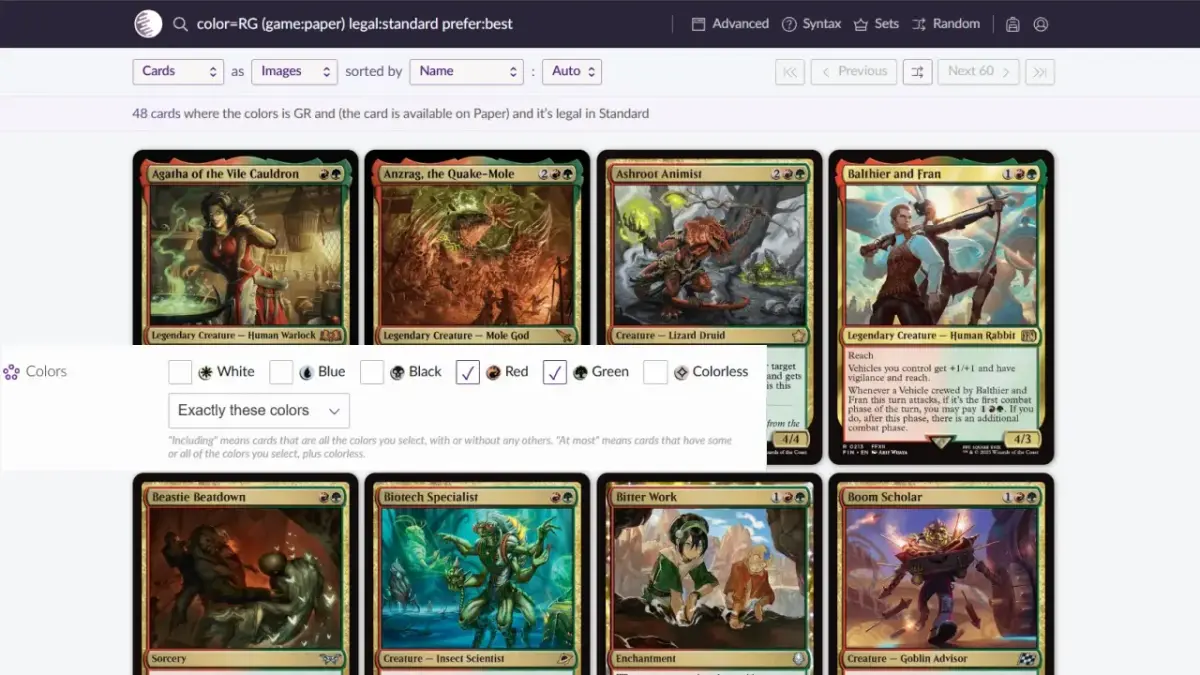
Intuitively, you would check the colors you want under the Color field (for example, I checked red and green), but you will find that the results only contain red-green two-color cards, and mono-red and mono-green cards don’t appear. Why is that? Look below the color field, where it says “Exactly these colors”.
Click that text, and we can see two other options: “Including these colors” and “At most of these colors”. Let’s switch to the second option, “Including these colors,” and see what it finds.
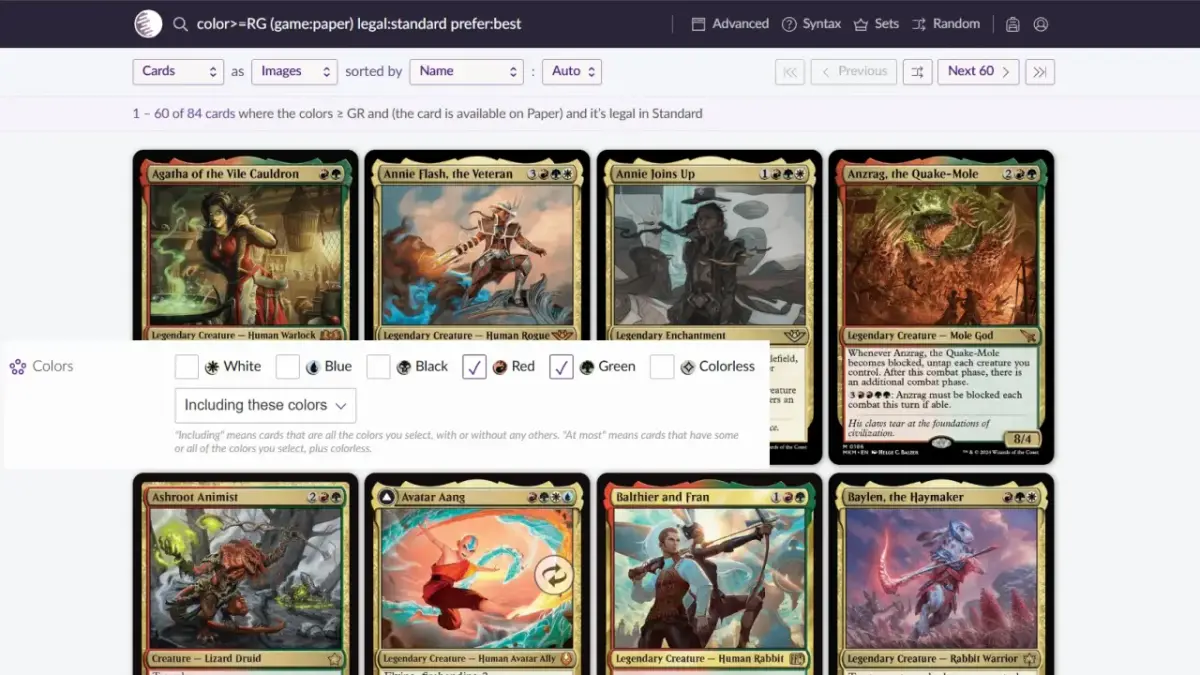
The result has a few more than the first option, but still no mono-colored cards. This is because the second option means “cards that have both red and green at the same time,” so extra results such as red-green-white, red-green-blue, and red-green-black appear. What about the third option, “At most of these colors”?
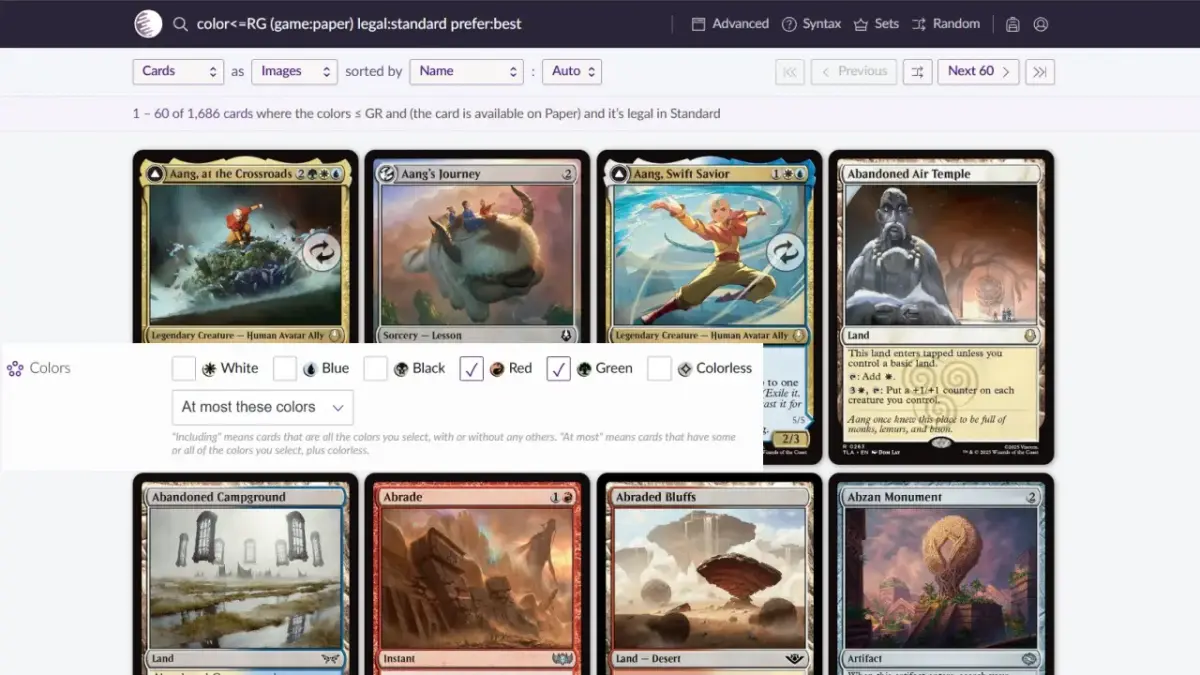
Red and green mono-colored cards do appear, but a lot of strange things show up too, such as lands that only produce white, the white-blue Aang, Swift Savior, and the mono-black Bat god. Why do these things show up? Because the third option also includes colorless cards, including double-faced cards whose back face is colorless, so the search results are mixed with many single cards of other colors.
If you have already decided to look at cards of a specific color combination, none of the above search results will fit your needs. How should you search? This is where the Commander color identity field below comes in.
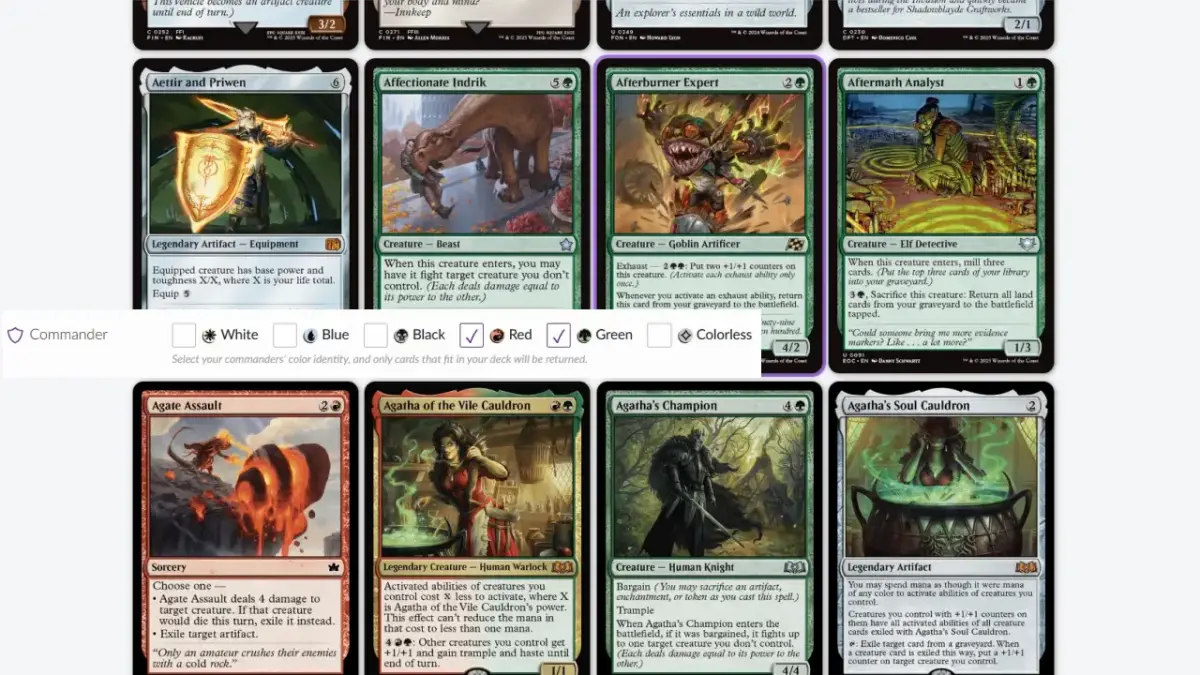
By checking only red and green under commander colors, we can see red-green two-color cards, mono-colored cards, and lands that fit the red-green color conditions. Although this excludes cards whose abilities or back faces carry a third colored mana symbol, the result is relatively satisfying. So, when setting search colors, I recommend using the commander color field first, which gives you a better chance of finding the cards you need.
Choose Your Rarity (Rarity)
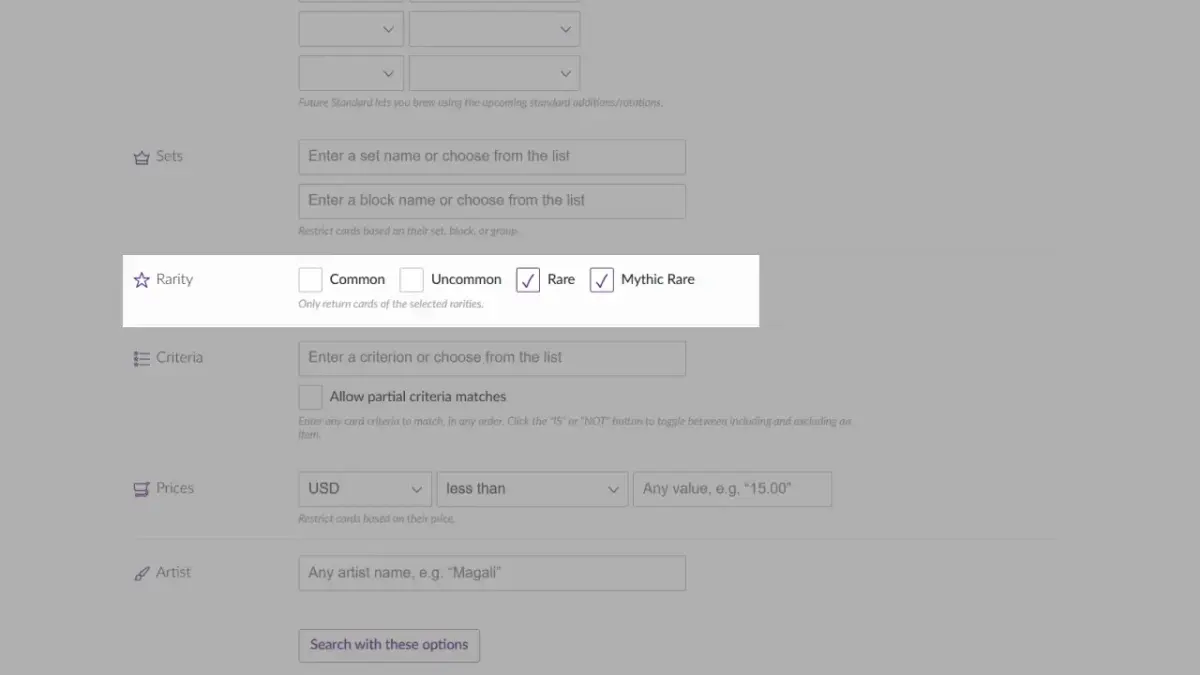
Although we have finished setting the colors and format, the search results listed are still plentiful and messy. If you have no specific search target, savoring them one by one is indeed a pleasure, but when our goal is to find cards for constructed, low-rarity cards with Limited-level power become clutter. This is where we should make good use of the rarity setting: check Rare and Mythic Rare to list the higher-rarity cards first for browsing, which makes it easier to find single cards that are strong enough. However, quite a few useful cards are in Uncommon, or even Common, so after looking through the high-rarity cards, you can switch to low rarity to find suitable supporting cards.
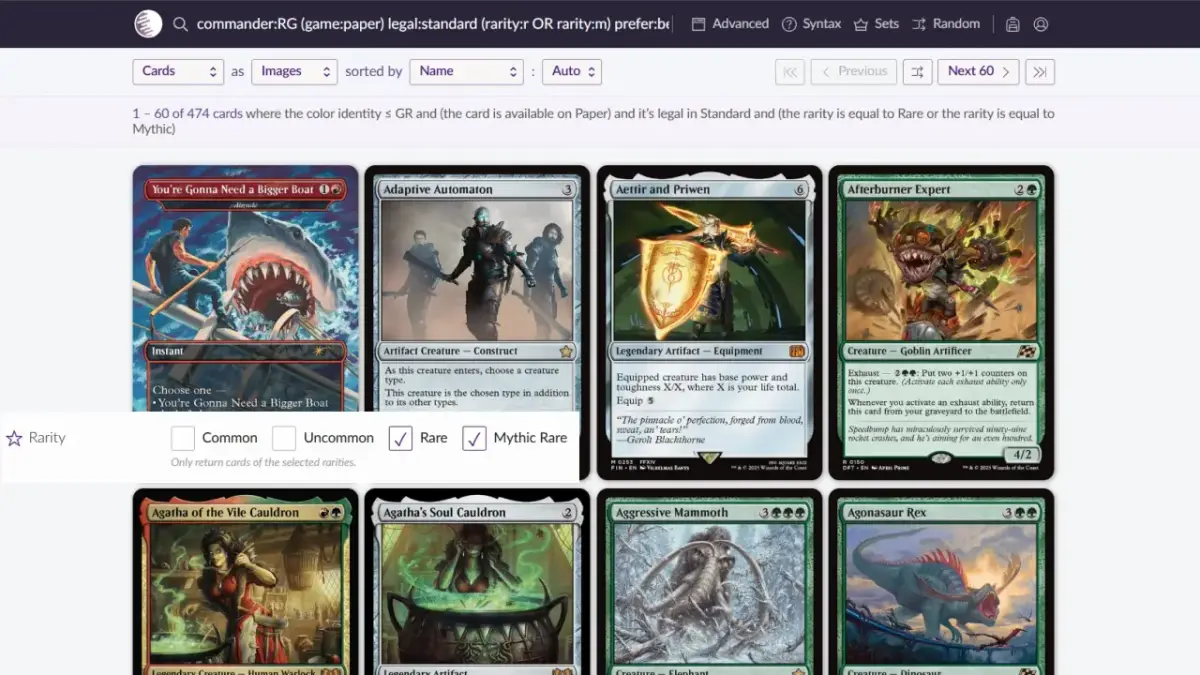
After completing the above three settings, I believe you have roughly pulled out the card pool you want to see, and you can browse through it one card at a time to find single cards that stir up your little grey cells. But the number is still too large, especially as sets have come out more and more frequently in recent years; just setting the Standard card pool and a specific color can easily list hundreds of cards. So, to let Scryfall list the cards you want more precisely, you can set the following additional conditions.
Choose Your Type (Type)
First, here is a list of common basic card types and supertypes, with Chinese and English side by side:
Card Types (types)
Artifact:神器
Battle:戰役
Creature:生物
Enchantment:結界
Instant:瞬間
Kindred:親緣
Land:地
Planeswalker:鵬洛客/旅法師
Sorcery:巫術
Supertypes (Supertypes)
Basic:基本
Legendary:傳奇
Snow:雪境
Token:衍生物
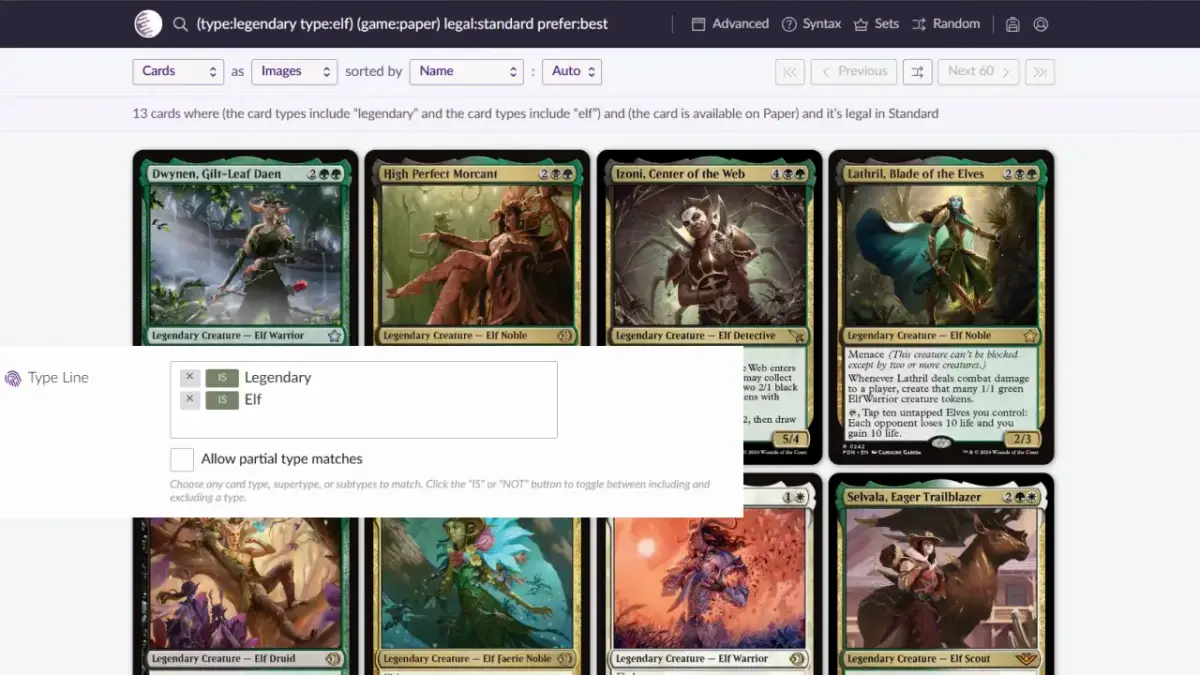
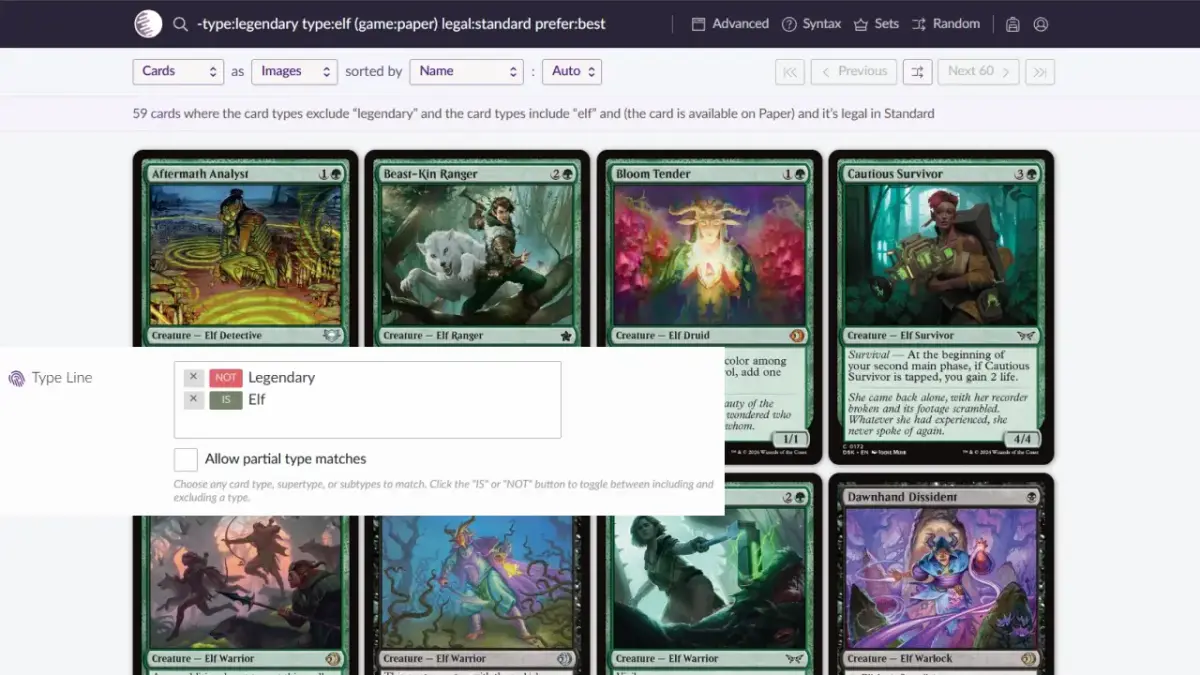
Like the format field, the type field is likewise full of card types you don’t normally see, along with creature types too numerous to list, so only the more commonly seen basic card types and supertypes are listed above. When you need to find cards of a specific type, this field can help. For example, if we want to build an Elf tribal deck today, we type elf in this field, and Scryfall will list all the Elf cards available in the card pool. If you want to find an Elf that can be your commander, enter one more item, Legendary, and you will find all the Legendary Elves in the card pool.
Similarly, if you want to search for spells, you can choose instant and sorcery.
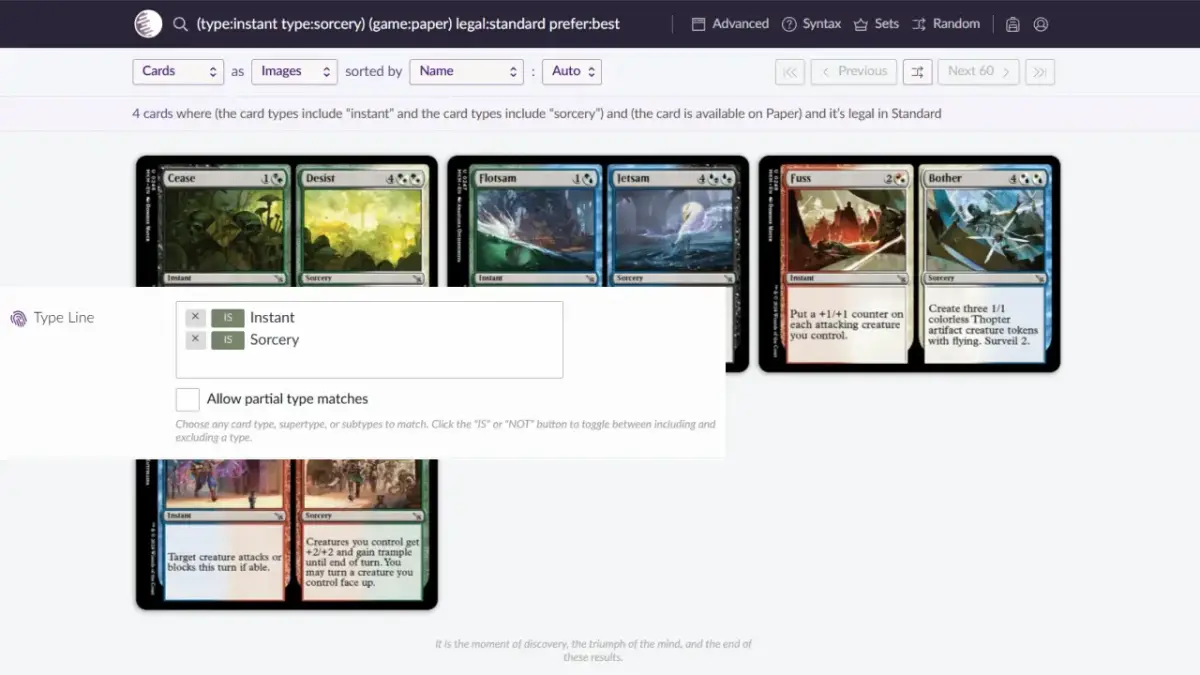
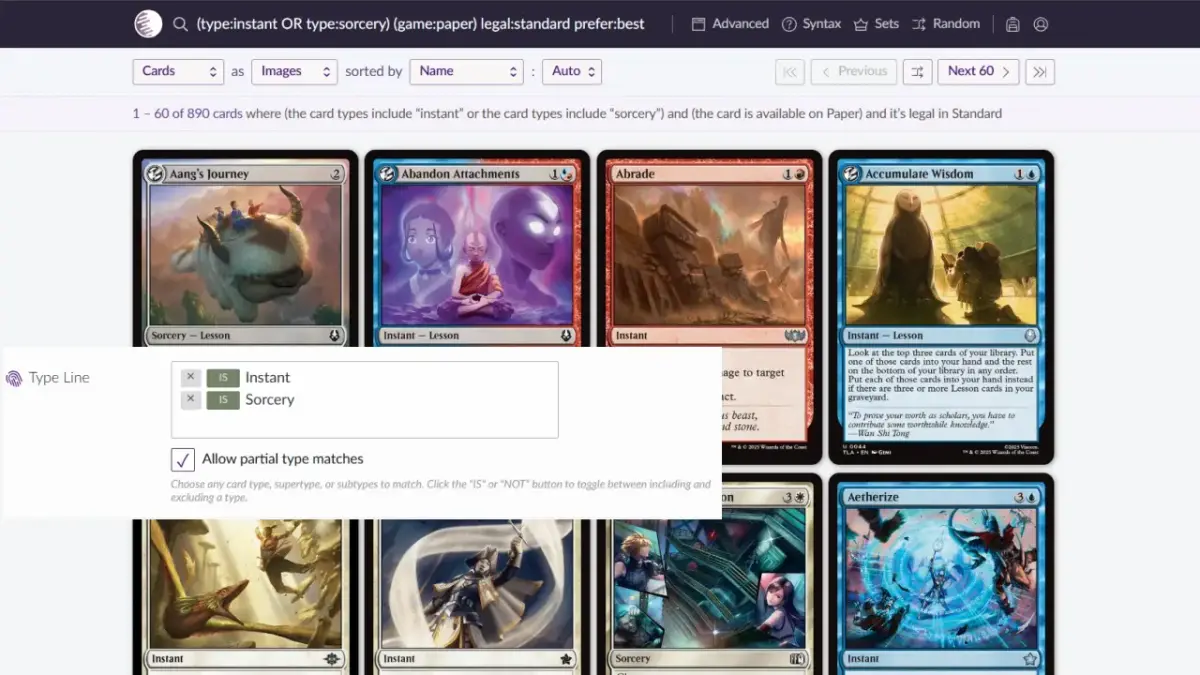
…But selecting it this way only finds Split Cards that have both the instant and sorcery types? Yes, the system lists the cards that fully match the conditions. If you want to see a combined list of cards of two or more types, check “Allow partial type matches” below, and the system will list all the cards matching one or more types.
What if you want to exclude a specific type? Can that be set? Yes, it can. Look at the types you entered and notice the green “IS” that appears next to them? Click it, and it turns into a red “NOT”. Your search results will then exclude all single cards of types shown as “NOT”. If we change “legendary” in the earlier “legendary” “elf” to NOT, the system will find non-legendary Elves for you.
Set Your Stats (Stats)
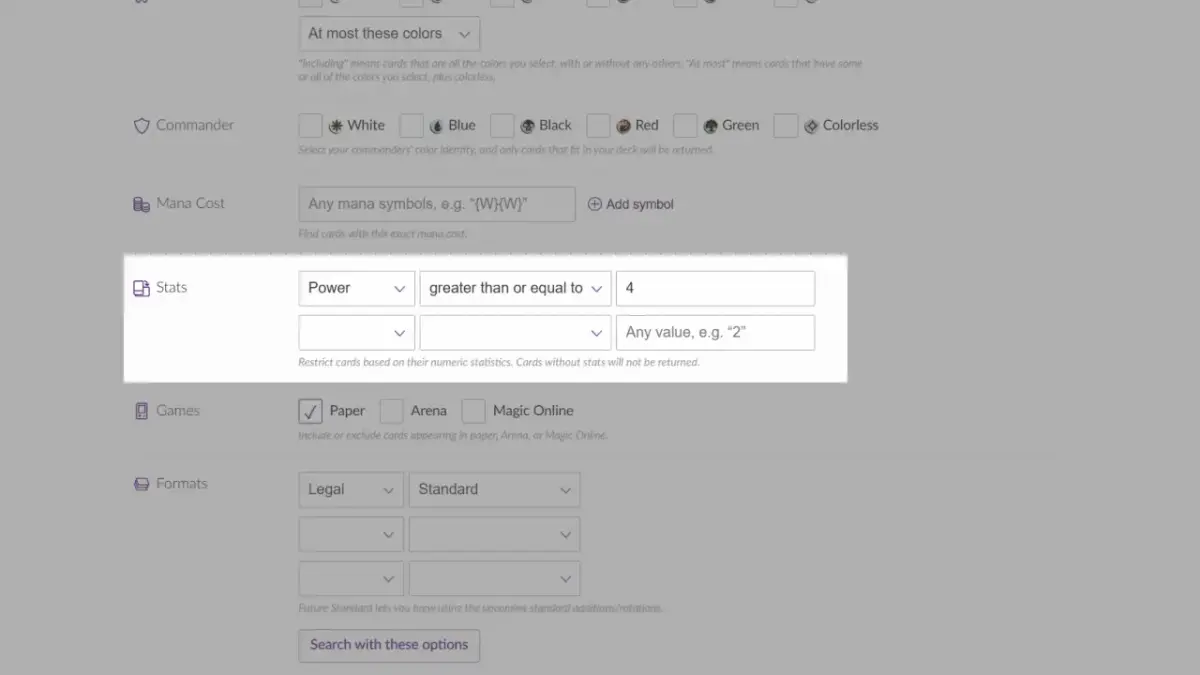
Sometimes, the condition you want to search by is not a type, but cards matching a specific number. For example, the ferocious ability checks whether your creature’s power reaches 4, and when you build this kind of deck you need to find creatures with power 4 or greater, so you can use the stats (Stats) field to set the condition. The options you can set in this field, with Chinese and English side by side, are as follows:
Stats Options, Chinese and English
Mana Value:魔法力值
Power:力量
Toughness:防禦力
Loyalty:忠誠值
equal to:等於
less than:小於
greater than:大於
less than or equal to:小於等於
greater than or equal to:大於等於
not equal to:不等於
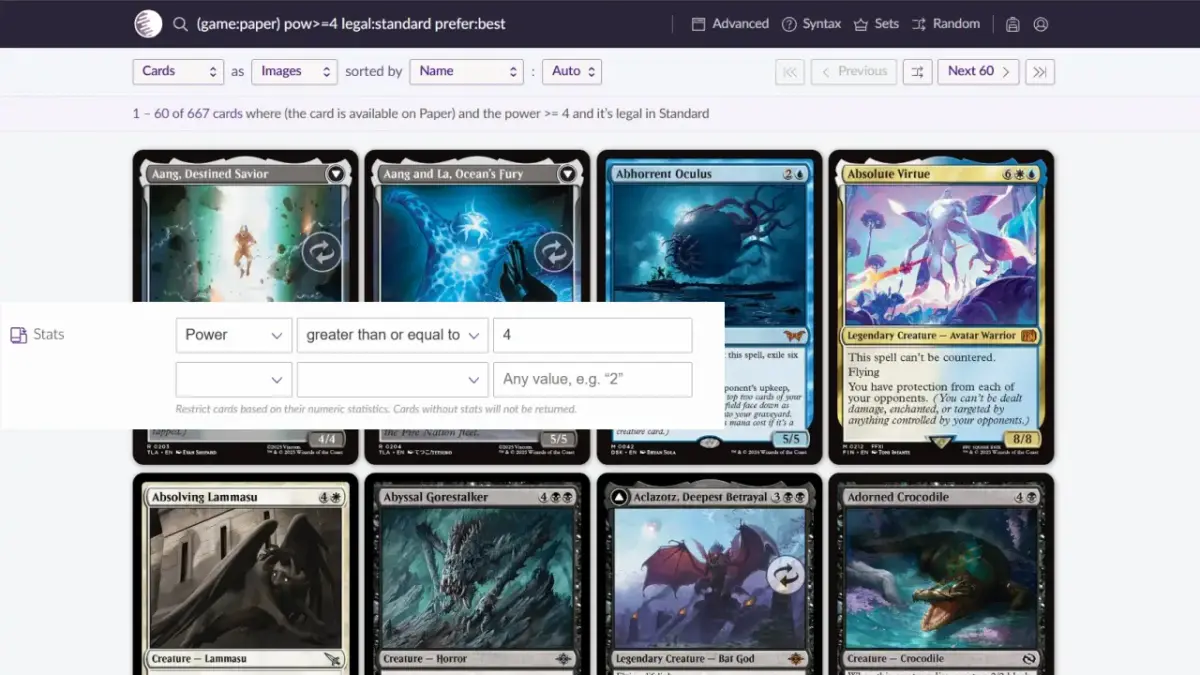
If you want to search for creatures with power 4 or greater, choose “Power” “greater than or equal to,” then enter 4, and you will find the result you want.
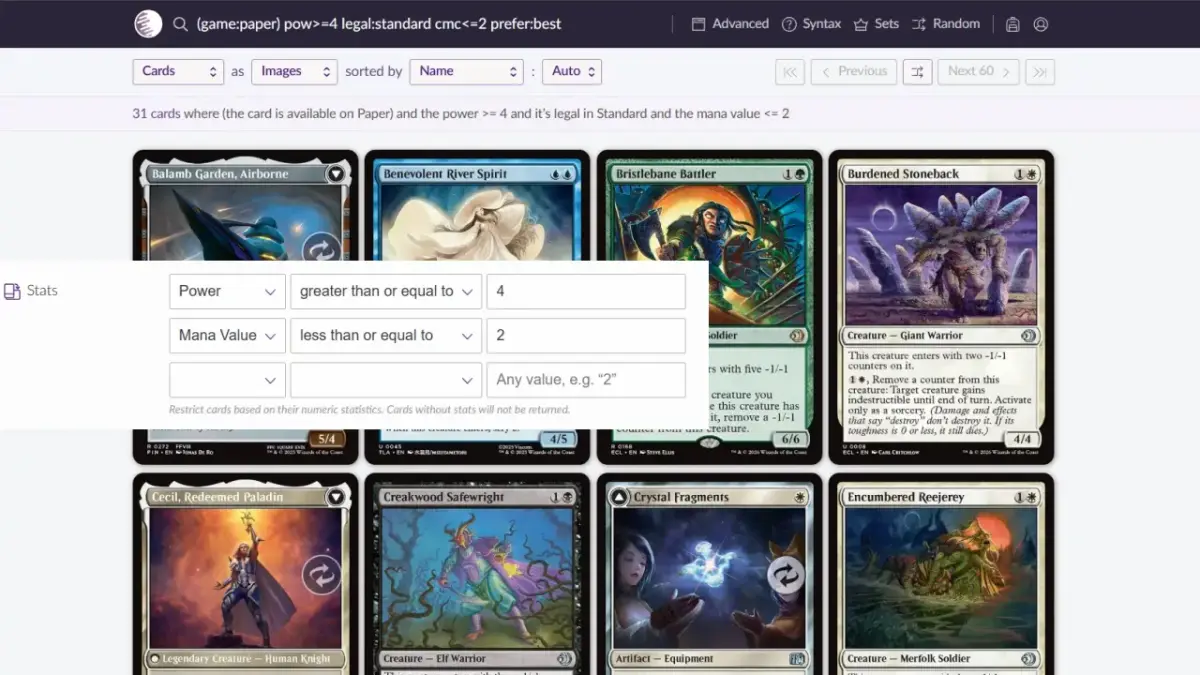
What if you want to set multiple conditions?
After you finish setting one row, the system automatically adds a new row below for you to keep entering, so you can keep adding conditions. Here we add one more condition, “mana value less than or equal to 2,” and the result will be only the cards that satisfy both conditions.
Enter Your Rules Text (Text)
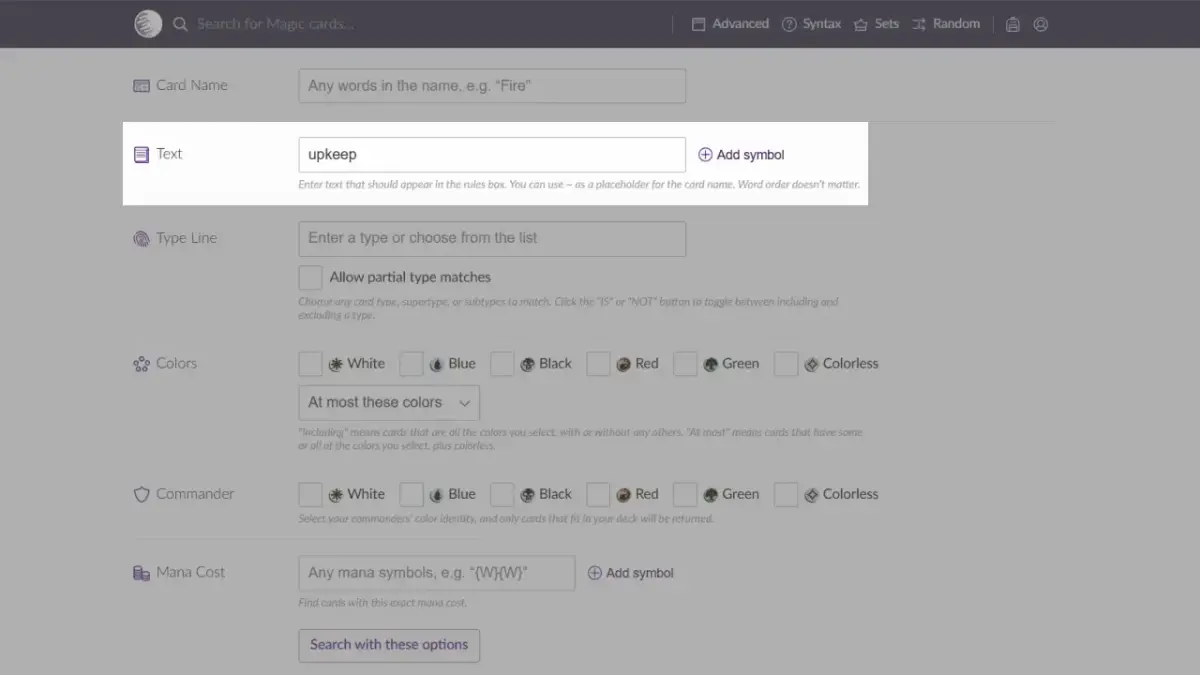
Besides searching by type and by numbers as described above, searching by whether the rules text meets a condition is also common. This field is not very easy to use for beginners and people whose English is not good, because it has no preset options other than symbols for you to choose from (the Add Symbol option on the right of the field lets you add the tap symbol or various mana symbols). At this point, pick up the single card that motivated your search and look at it! Find a few keywords on it and enter them, and that’s it.
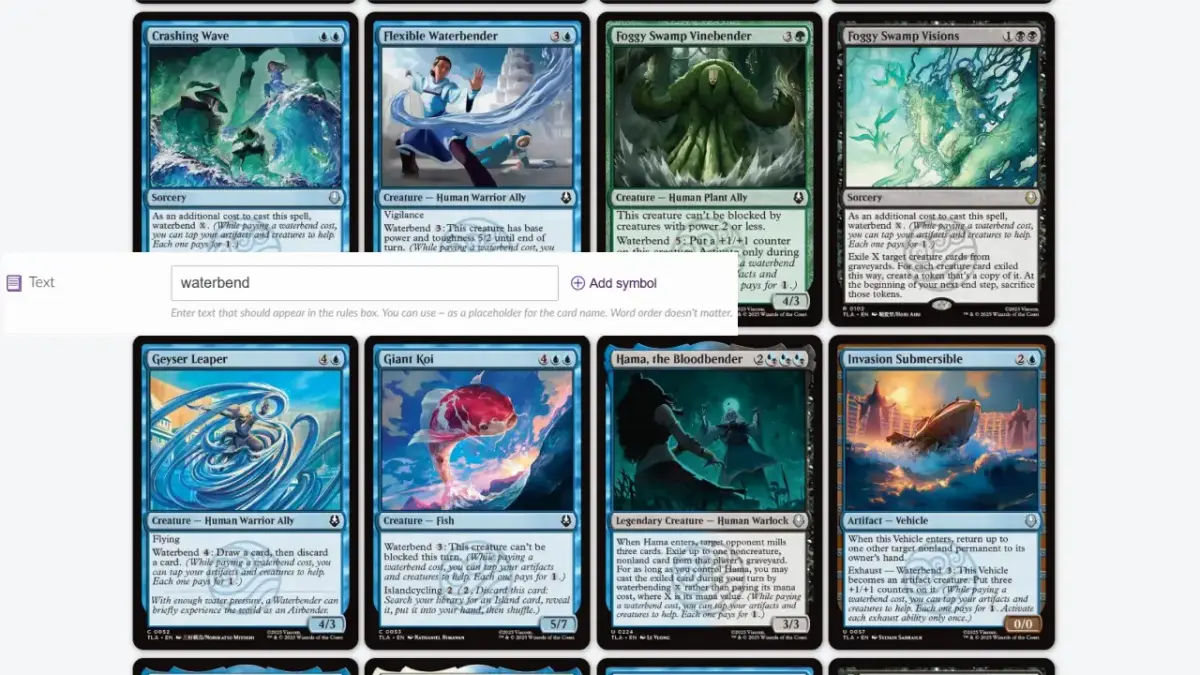
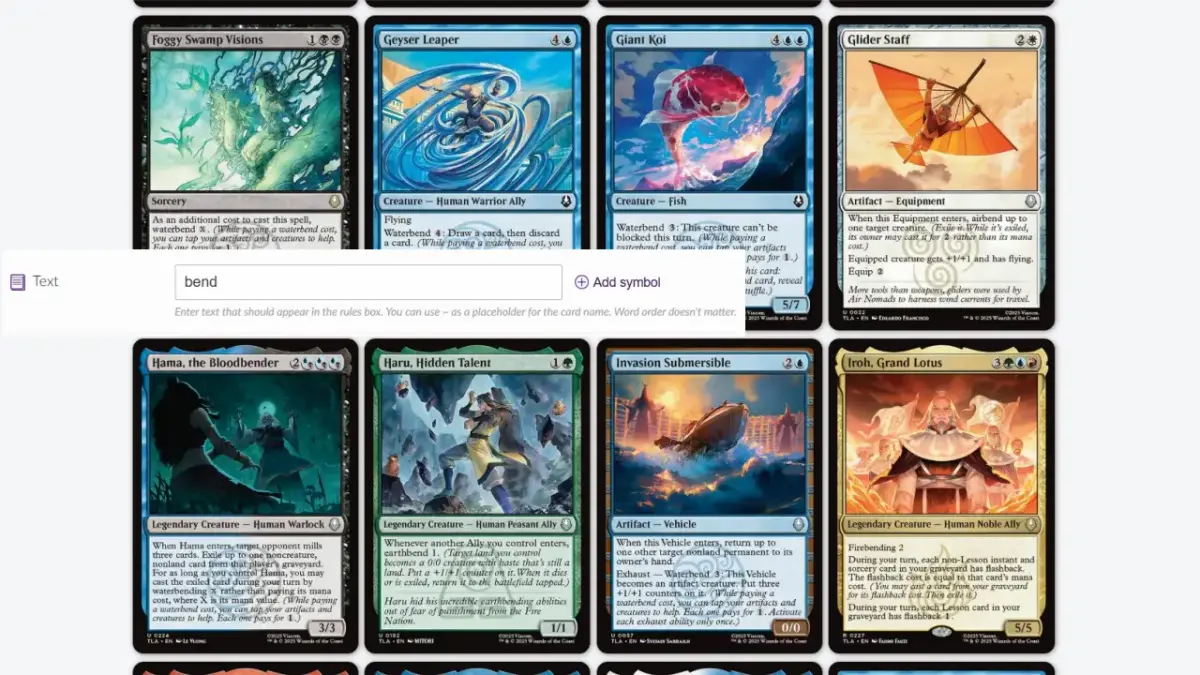
For example, if you want to find cards with the waterbending ability, look for the word waterbend on the card, enter it, and search, and Scryfall will list every card that mentions that ability. What if you want to see all four bending types at once? Then enter the word they all share, bend.
Here are the evergreen / semi-evergreen ability keywords you are more likely to see:
Evergreen / Semi-evergreen Ability Keywords
Flying:飛行
Trample:踐踏
Haste:敏捷
Vigilance:警戒
Flash:閃現
Equip:佩帶
First Strike:先攻
Lifelink:繫命
Menace:威懾
Deathtouch:死觸
Reach:延勢
Indestructible:不滅
Scry:占卜
Protection:保護
Defender:守軍
Hexproof:辟邪
Double Strike:連擊
Kicker:增幅
Flashback:返照
Ward:守護
Surveil:刺探
Crew:搭載
Landfall:地落
Fight:互鬥
Prowess:靈技
Affinity:共鳴
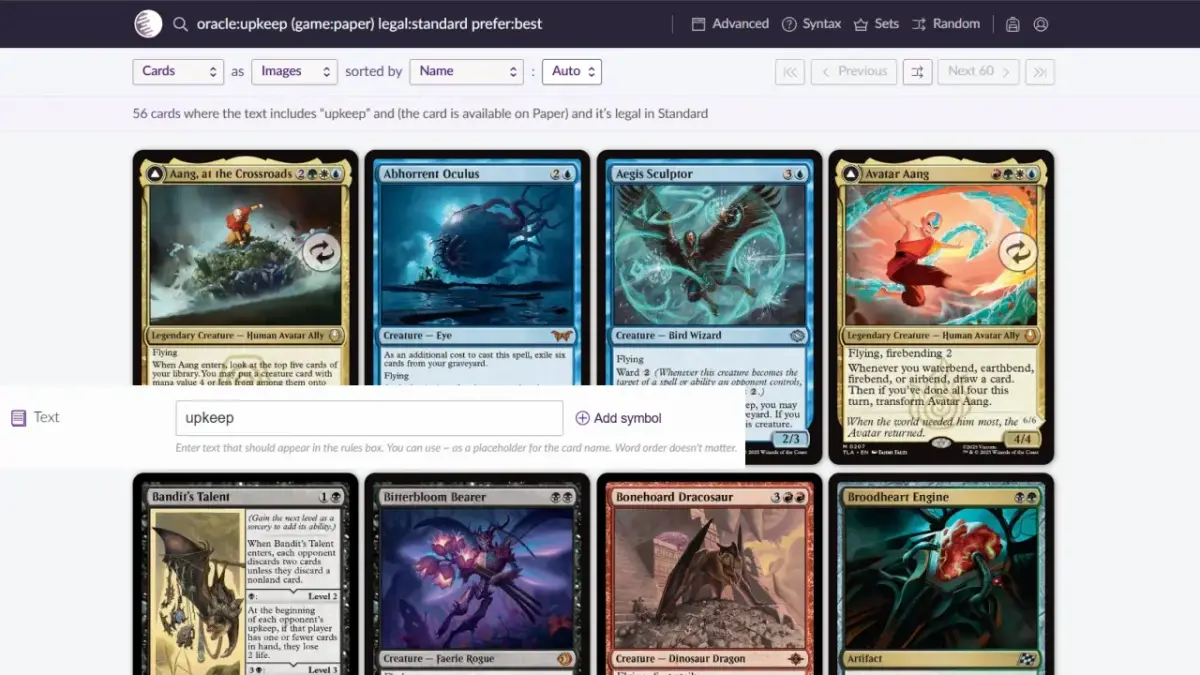
So what if you are not looking for an ability, but for cards with a specific description? The method is the same: find the keyword in that description, and type it into this field to search. For example, if we want to find abilities that trigger during the upkeep step, we can type “upkeep,” and the system will list the cards that mention “upkeep.”
A bit more advanced: if you want to find enters-the-battlefield triggered abilities, we can enter “when enter” (when … enters), and the system will list the cards with enters-the-battlefield triggered abilities.
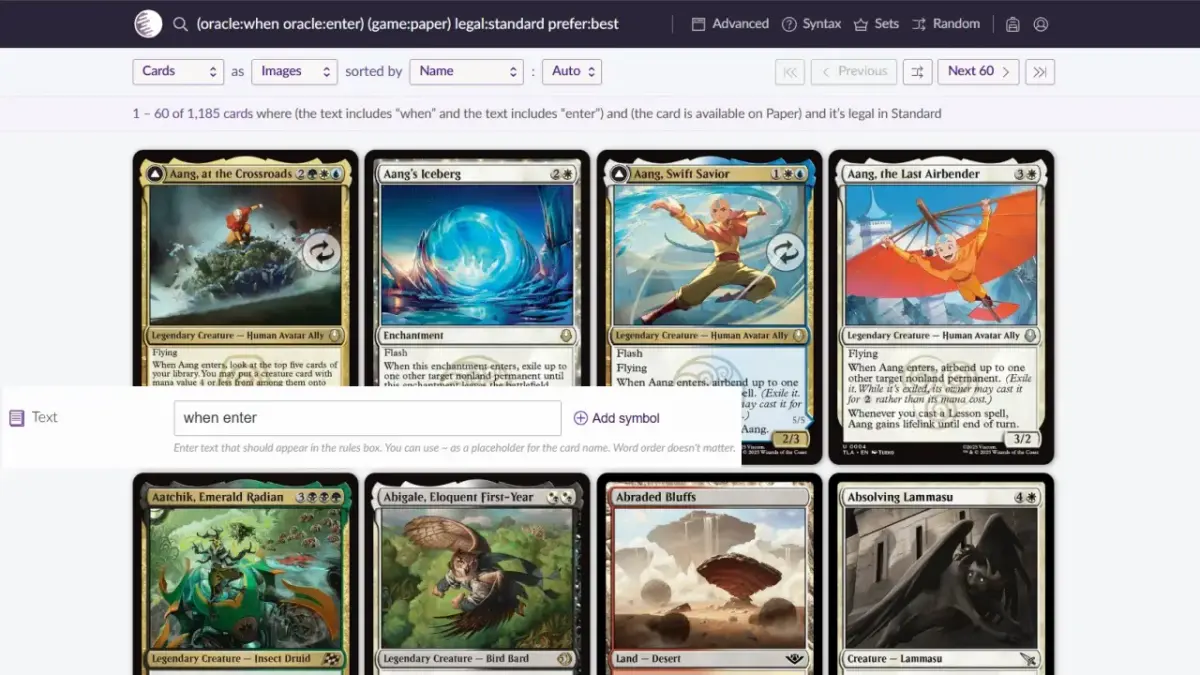
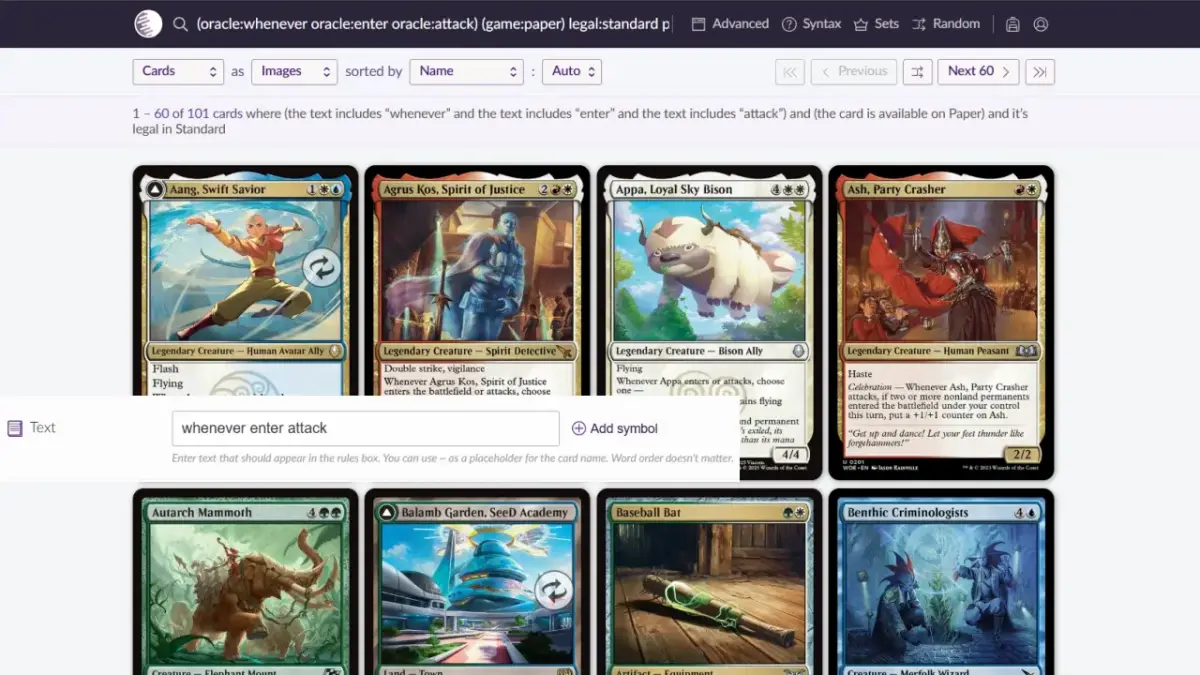
Going one step further, if I want to find abilities that trigger on both entering and attacking and that trigger repeatedly, I enter “whenever enter attack” (whenever … enters, attacks), and it will roughly find the result you want (there are always exception cards, so it usually won’t match your needs 100%, but it will be very close).
Here again, common description words are listed in alphabetical order; readers, please use them at your own discretion:
Commonly Used Description Words
ability:異能
additional:額外
attach:貼附
attack:攻擊
battlefield:戰場
become:成為
beginning:開始
block:阻擋
bottom:底 (of the library)
card:牌
cast:施放
choose:選擇
combat:戰鬥
control:操控
copy:複製
cost:費用
counter:反擊/指示物
create:派出 (tokens)
damage:傷害
deal:造成
destroy:消滅
die:死去 (creatures)
discard:棄 (cards)
draw:抽 (cards)
enchant:結附
end:結束
enter:進場
exile:放逐
gain:獲得
get:得到
graveyard:墳場
hand:手牌
library:牌庫
life:生命
look:檢視
lose:失去
main:主要 (phase)
mana:魔法力
mill:磨
non:非 (followed by the noun to exclude, e.g. noncreature)
opponent:對手
own:擁有
permanent:永久物
phase:階段
play:使用
player:玩家
put:放置
random:隨機
resolve:結算
return:移回
reveal:展示
sacrifice:犧牲
search:搜尋
spell:咒語
stack:堆疊
step:步驟
tap:橫置
target:目標
top:頂 (of the library)
transform:轉化
turn:回合
untap:重置
upkeep:維持
when:當
whenever:每當
Conclusion
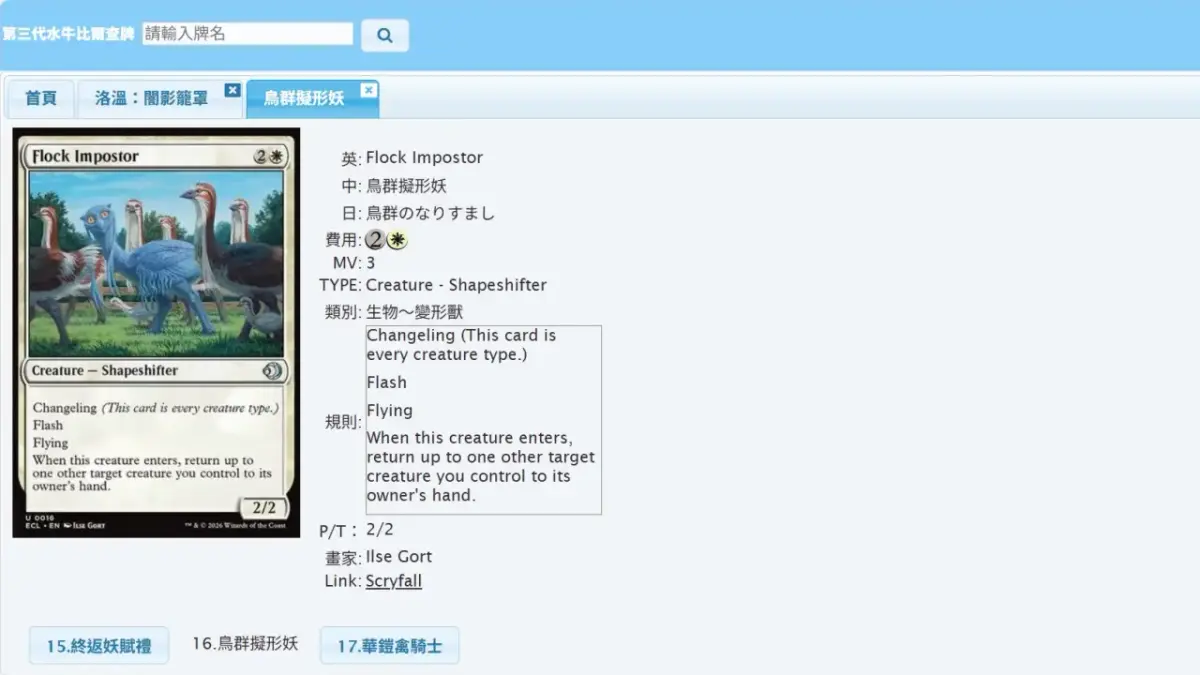
Through the explanations of the settings above, I believe you now roughly know how to search for cards with Scryfall. Although an all-English interface can indeed be a little intimidating, Magic: The Gathering is, after all, a game produced by an American company whose original text is in English, and support for Traditional Chinese keeps shrinking, so avoiding English entirely is no longer possible. Fortunately, most of the wording has clear definitions in the rules, and old cards get errata to unify the wording, so the words actually used are not that many. As long as you master the words provided in this article plus middle-school-level English, you should be able to understand most of it, and what remains is just checking the abilities newly added in each set (for example, the mechanics breakdown articles this site publishes before each set is released). As for card names, cards without a Chinese translation are indeed not easy to remember, so I suggest pairing this with the Third-Generation Buffalo Bill Card Lookup by 水牛比爾 to cross-reference card names in Chinese, English, and Japanese, which helps with memorization. That’s it for today. I wish everyone smooth card hunting.

- Title
- How to Use Scryfall
- Author
- JerobaMTG
- Created at
- January 21, 2026
- License
- This work is licensed under CC BY-NC-SA 4.0 .